
Log in

Forgot password?

Don't have an account? Register here

Already have an account? Log in

Enter your email address. We will send you a password reset link.

Back to login

Are you sure?

This action cannot be undone.

Your Profile

Hello, Guest!

My Licenses

Order History

Edit Data


Change Password

Why Full Backup and Retention Policies are the Foundation of Security?

Back to Blog

True security is guaranteed by backup software that relies on full data dumps. Unlike cheap tools, professional solutions properly manage file rotation, completely eliminating the risk of corrupting your backup archive chains.

Choosing the right backup type determines whether you will recover data when every minute counts. Software based on the Full Backup model guarantees the highest integrity and reliability of files.

Every File is 100% Complete

A full backup creates a complete and standalone dump of the entire environment every time. There are no "chains" known from incremental backups, where the failure of one file on the server destroys the entire archive.

Automated Retention Policy

To prevent full archives from clogging the drive, intelligent applications (like Project Backup) offer a built-in retention policy. This means the program itself manages the "lifespan" of old copies – automatically deleting archaic files from weeks ago, ensuring cleanliness and free space on your target drive.
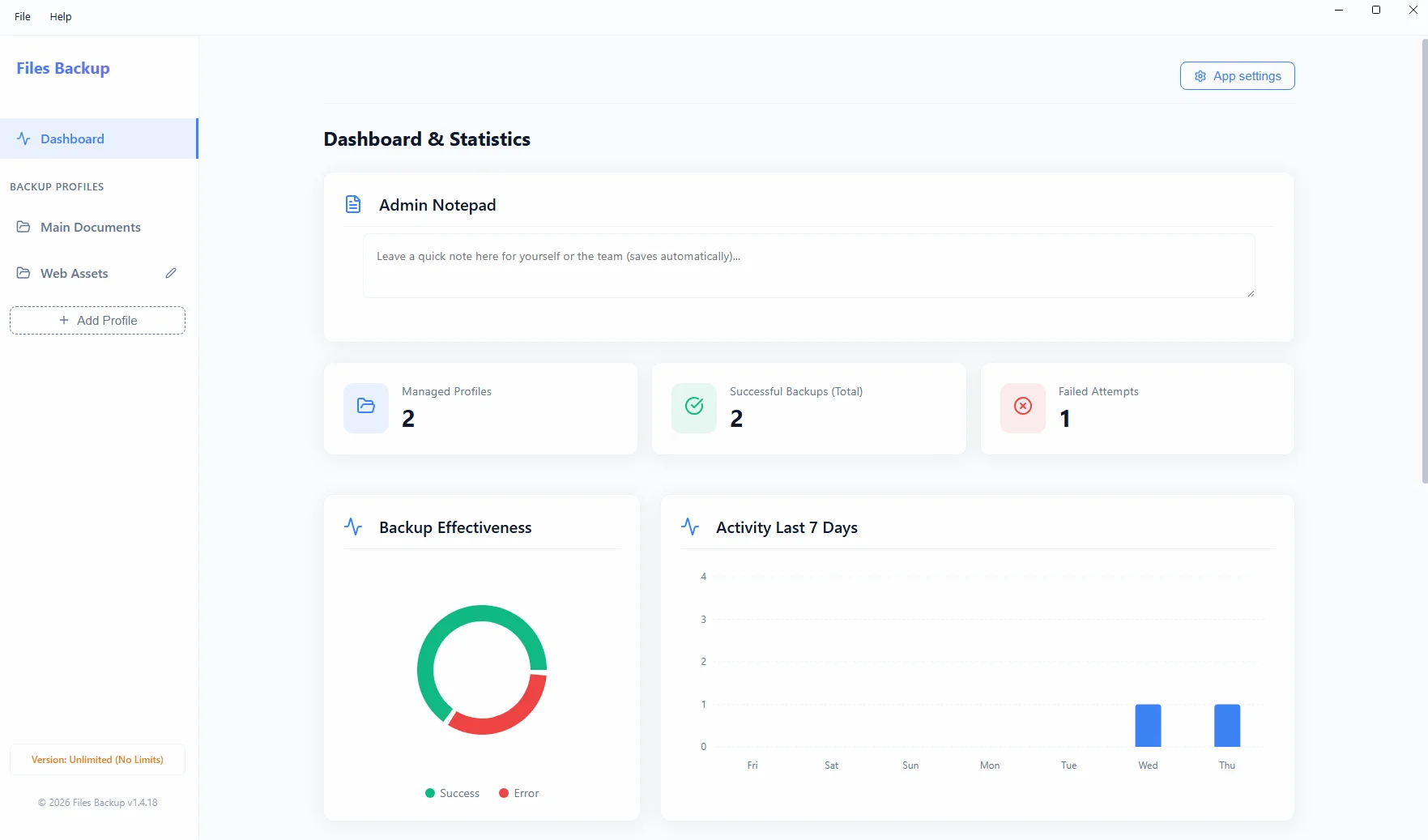
Files Backup Interface
The Files Backup interface archiving important files and configuration directories.

About the author

Jakub Półrolniczak – software engineer and data security expert (E-E-A-T). Passionate about Zero-Cloud architecture and reliable solutions for Windows operating systems. Creator of the Project Backup software family.

Logowanie Administratora

Zapomniałeś hasła?

Reset hasła

Podaj swój login. Nowe hasło zostanie wysłane na powiązany adres e-mail.

Wróć do logowania

Potwierdzenie

Czy na pewno chcesz wyczyścić wszystkie statystyki pobrań? Tej operacji nie można cofnąć.

Sukces

Notatka do licencji

How to install the application?

You are downloading a safe installation file directly from the manufacturer. Due to the fact that our application is new, Windows SmartScreen may display a blue warning window.

To complete the installation:

  1. Save and run the downloaded file .exe.
  2. When the blue Microsoft Defender window appears, click "More info".
  3. Then click the button "Run anyway" (or "Keep anyway" in the browser).

Request an Invoice

Fill in the details below to automatically generate an invoice (receipt). It will also be sent to your email address.

Produkt