Log in

Forgot password?

Don't have an account? Register here

Already have an account? Log in

Enter your email address. We will send you a password reset link.

Back to login

Are you sure?

This action cannot be undone.

Your Profile

Hello, Guest!

My Licenses

Order History

Edit Data


Change Password

accounting office file protection Windows security

Why Accounting Offices and Companies Need Daily Backups?

Back to Blog

Every professional accounting firm is well aware of how crucial a reliable file backup program is. A daily backup of your most important documents and hidden configuration folders acts as the best barrier against ransomware attacks and unforeseen hardware failures.

Summary: Accounting firms need daily backups to protect against ransomware attacks and server failures. The best approach is to use automated tools like Files Backup from Project Backup, which archive files after working hours and send encrypted packages to a mapped network drive.

For an accounting office or a local trading company, alongside protecting the database itself, the loss of local working files (such as e-declarations, electronic signature certificates, or print templates from accounting programs) is an absolute disaster. Clients' financial data, invoices, and tax settlements are the heart of the business.

Do Not Trust a Single Drive

Keeping files solely on a local Windows server drive is asking for trouble. Hardware failures or accidental deletions happen more often than you think.

Certainty and Document Protection

Having a cyclical file backup (Files Backup) is the foundation of business survival in the event of a failure. An automated tool installed on a Windows system that secures documents every night and uploads them to a safe, external server is the basis of any responsible IT strategy.
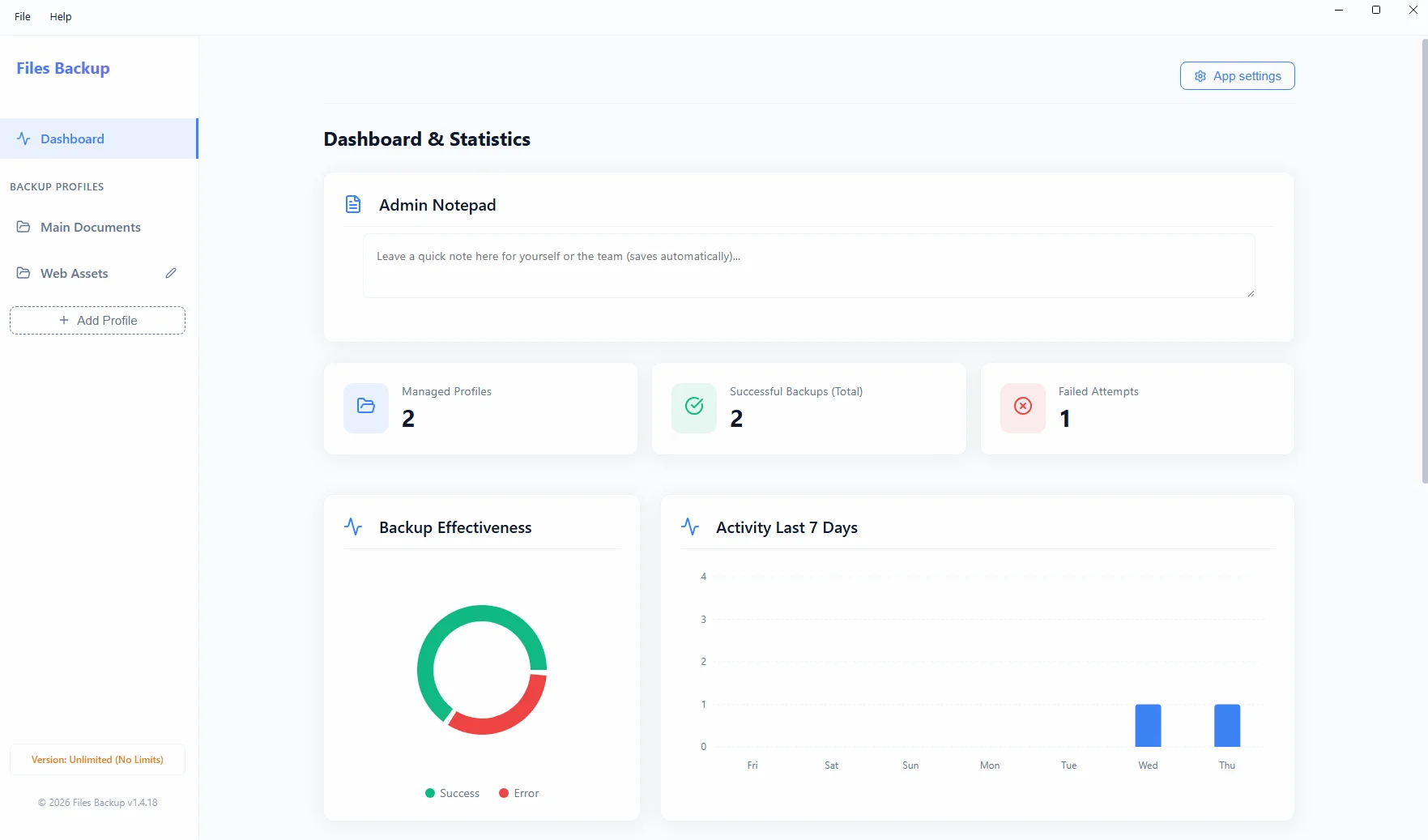
Files Backup Interface
The Files Backup interface archiving important files and configuration directories.

About the author

Jakub Półrolniczak – software engineer and data security expert (E-E-A-T). Passionate about Zero-Cloud architecture and reliable solutions for Windows operating systems. Creator of the Project Backup software family.

Logowanie Administratora

Reset hasła

Podaj swój login. Nowe hasło zostanie wysłane na powiązany adres e-mail.

Wróć do logowania

Potwierdzenie

Czy na pewno chcesz wyczyścić wszystkie statystyki pobrań? Tej operacji nie można cofnąć.

Sukces

Notatka do licencji

How to install the application?

You are downloading a safe installation file directly from the manufacturer. Due to the fact that our application is new, Windows SmartScreen may display a blue warning window.

To complete the installation:

  1. Save and run the downloaded file .exe.
  2. When the blue Microsoft Defender window appears, click "More info".
  3. Then click the button "Run anyway" (or "Keep anyway" in the browser).

Request an Invoice

Fill in the details below to automatically generate an invoice (receipt). It will also be sent to your email address.